

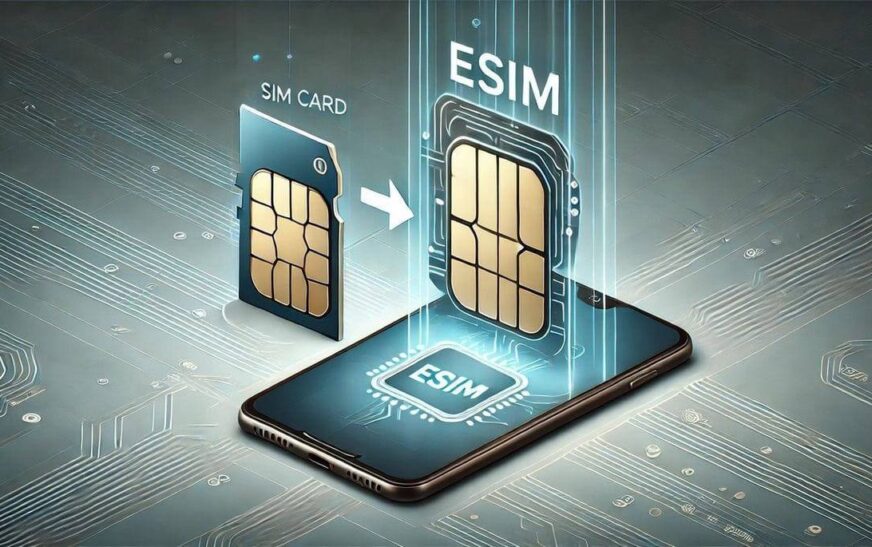
Physical SIM cards have been around for decades, but smartphones are gradually moving toward a more convenient alternative, eSIM.
If you’ve recently bought a newer iPhone, Samsung Galaxy, or Google Pixel device, you’ve probably come across the term. But how do you actually get an eSIM in Nigeria?
The good news is that getting one is easier than many people think. In this guide, we’ll explain what an eSIM is, which Nigerian networks support it, compatible devices, activation steps, and whether it’s worth making the switch.
What Is an eSIM?
An eSIM (embedded SIM) is a digital SIM card built directly into your smartphone or tablet.
Instead of inserting a physical SIM card, your mobile network activates your line electronically by downloading a carrier profile to your device.
This means you can connect to a network without swapping SIM cards.
Read Also: MTN and Airtel Made a Fortune from Airtime and Data Borrowing
Benefits of Using an eSIM
There are several reasons why more smartphone users are switching to eSIM technology.
Some of the biggest advantages include:
- No physical SIM card to lose or damage
- Faster activation
- Easily switch between networks
- Use two phone numbers on one device (physical SIM + eSIM)
- Perfect for international travel
- More secure since it cannot be physically removed
Which Networks Offer eSIM in Nigeria?
Currently, the major telecom operators that have introduced eSIM services include:
- MTN Nigeria
- Airtel Nigeria
- 9mobile (limited availability depending on location)
Availability may differ across states and service centers, so it’s worth confirming with your preferred network before visiting.
Devices That Support eSIM
Not every smartphone supports eSIM.
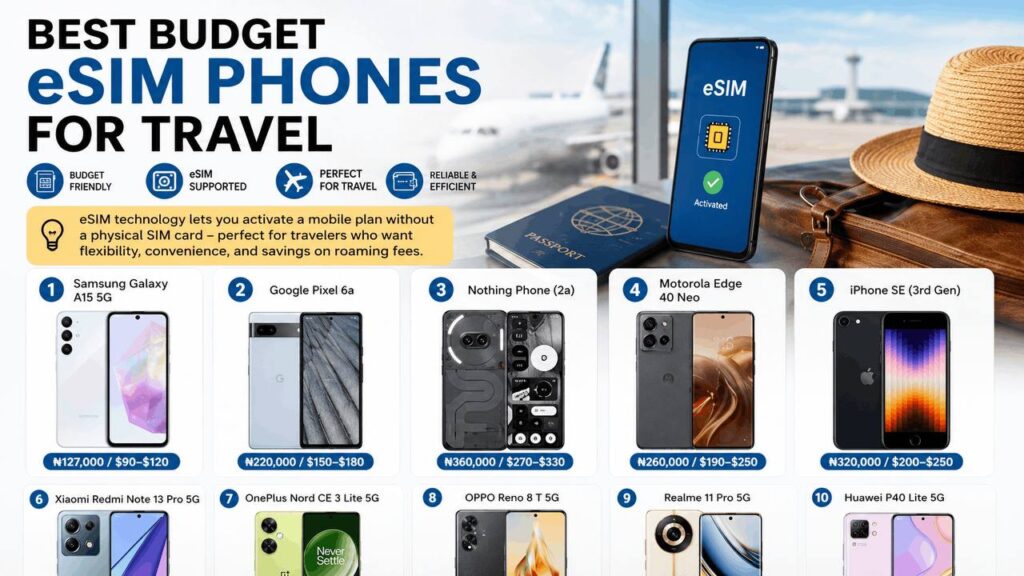
Popular compatible devices include:
Apple
- iPhone XS and XS Max
- iPhone XR
- iPhone 11 series
- iPhone 12 series
- iPhone 13 series
- iPhone 14 series
- iPhone 15 series
- iPhone 16 series
Samsung
- Galaxy S20 and newer
- Galaxy Note20 series
- Galaxy Z Fold series
- Galaxy Z Flip series
- Selected Galaxy A models
- Pixel 3 and newer
Other brands such as Motorola, Xiaomi, Oppo, Honor, Huawei, and Vivo also support eSIM on selected flagship devices.
Also Read: How to Check a Used iPhone Before Buying in 2026 (10 Things to Inspect)
How to Check if Your Phone Supports eSIM
Here are a few quick ways:
On iPhone
Go to:
Settings → Cellular (or Mobile Data)
If you see “Add eSIM” or “Add Cellular Plan,” your device supports eSIM.
On Android
Go to:
Settings → Network & Internet → SIMs
If an Add eSIM option appears, your phone is compatible.
You can also search your phone model online together with the word “eSIM” to confirm support.
How to Get an eSIM in Nigeria
The process is fairly straightforward.
Step 1: Confirm Device Compatibility
Make sure your phone supports eSIM and is not carrier-locked.
Step 2: Visit Your Network’s Customer Service Centre
Unlike buying a physical SIM from roadside vendors, eSIM activation is usually handled at official service centres.
Carry:
- A valid means of identification
- Your registered phone number (if converting an existing SIM)
- Your compatible smartphone
Step 3: Request an eSIM
Tell the customer representative that you’d like to:
- Convert your existing SIM to eSIM, or
- Register a new eSIM line.
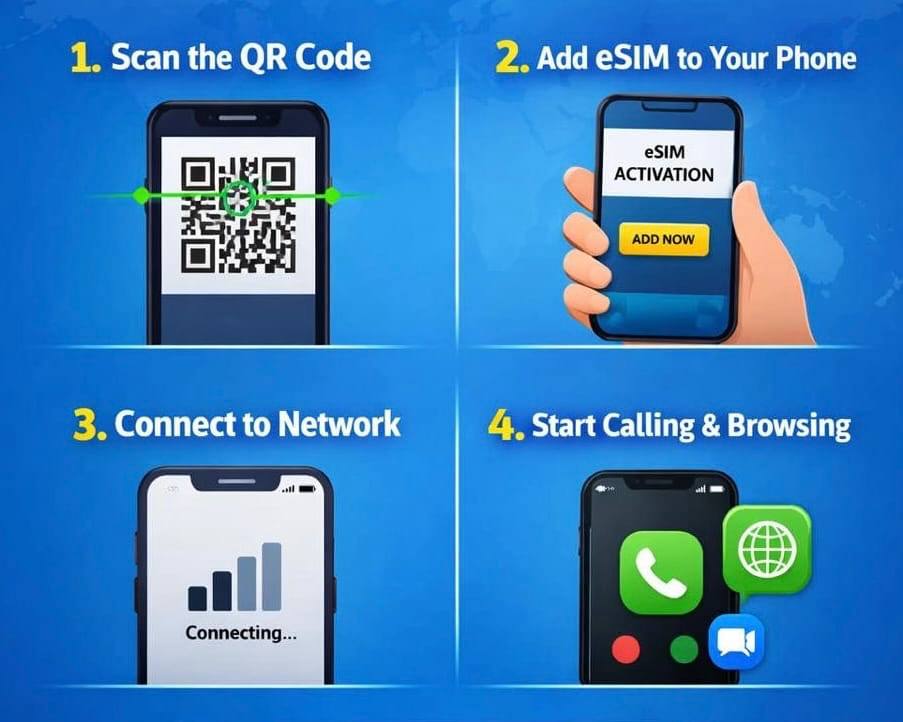
Step 4: Receive a QR Code
The network will provide a QR code for activation.
This QR code downloads your mobile profile directly to your device.
Step 5: Scan the QR Code
On most phones:
Settings → Cellular → Add eSIM
Scan the QR code and follow the instructions.
Activation usually takes only a few minutes.
Does an eSIM Cost Money?
It depends on your network.
Some operators charge a small one-time activation or SIM replacement fee, while others occasionally waive the fee during promotional periods.
It’s a good idea to ask your network about the current cost before requesting an eSIM.
Can You Use Both a Physical SIM and eSIM?
Yes.
Most modern smartphones allow Dual SIM functionality.
For example, you can use:
- MTN on your physical SIM
- Airtel on your eSIM
Or keep one line for work and another for personal use.
Is eSIM Better Than a Physical SIM?
For many users, yes.
eSIM is especially useful if you:
- Travel frequently
- Want multiple phone numbers
- Upgrade phones often
- Prefer not to swap SIM cards
- Need an extra line for business
However, if you regularly switch SIM cards between different phones, a physical SIM may still be more convenient.
Common Questions About eSIM
Can I transfer my eSIM to another phone?
Yes. However, you’ll usually need to reactivate it through your mobile network when moving to a new device.
Does eSIM affect network speed?
No. Network speed depends on your carrier’s coverage and your phone, not on whether you’re using an eSIM or a physical SIM.
Can I delete my eSIM?
Yes. You can remove it from your phone settings, but you’ll need another activation if you want to use that line again.
Does eSIM work without the internet?
Once activated, yes. However, you’ll need an internet connection during the initial setup to download the eSIM profile.
Final Thoughts
As more smartphones eliminate the traditional SIM card tray, eSIM is becoming the future of mobile connectivity.
Getting an eSIM in Nigeria is relatively simple: confirm that your device supports it, visit your network’s customer service centre, request activation, and scan the provided QR code. Within minutes, your digital SIM should be ready to use.
If you’re planning to upgrade your smartphone or want the convenience of using multiple lines without juggling physical SIM cards, now is a great time to consider making the switch.
Similar Read: Tech News: Ultimate Smartphone Showdown: iPhone vs Samsung