


For years, using WhatsApp meant sharing your phone number with everyone you wanted to chat with. That’s finally changing.
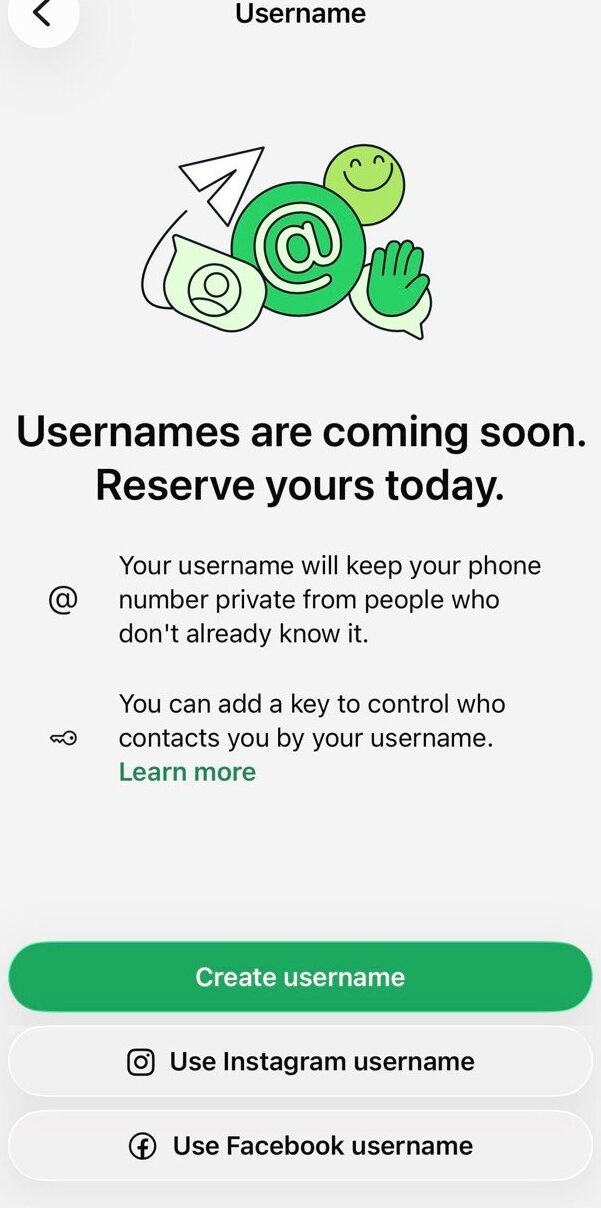
Meta has officially introduced WhatsApp usernames, giving users a new way to connect without revealing their phone numbers. Even before the feature becomes widely available, WhatsApp has started allowing users to reserve a username so they can secure the one they want before someone else does.
Whether you’re an everyday user, a creator, a freelancer, or a business owner, claiming your preferred username early can help protect your online identity and make it easier for people to find you.
In this guide, we’ll explain how WhatsApp usernames work, how to reserve yours, and everything else you need to know.
Key Takeaways
- WhatsApp is introducing usernames as an alternative to sharing phone numbers.
- Username reservations are now rolling out ahead of the global launch.
- Your username is unique and cannot be used by another account once successfully reserved.
- The feature is optional and will become available gradually across different countries.
- Businesses and creators can also claim their existing Instagram or Facebook usernames if eligible.
What Is the WhatsApp Username Feature?
The new WhatsApp Username feature lets people communicate using a unique username instead of their phone number.
Once enabled, someone can start a conversation with you using your username without seeing your mobile number. Your WhatsApp account will still be linked to your phone number, but your number stays hidden from new contacts when you choose to use a username.
This brings WhatsApp closer to apps like Telegram and Signal while giving users greater control over their privacy.
How to Reserve Your WhatsApp Username
If the feature has reached your account, reserving a username only takes a few minutes.
Step 1: Update WhatsApp
Download the latest version of WhatsApp from your device’s app store.
Step 2: Open Settings
Tap Settings, then navigate to Account.
Step 3: Select “Username”
If the rollout has reached your account, you’ll see a new Username option.
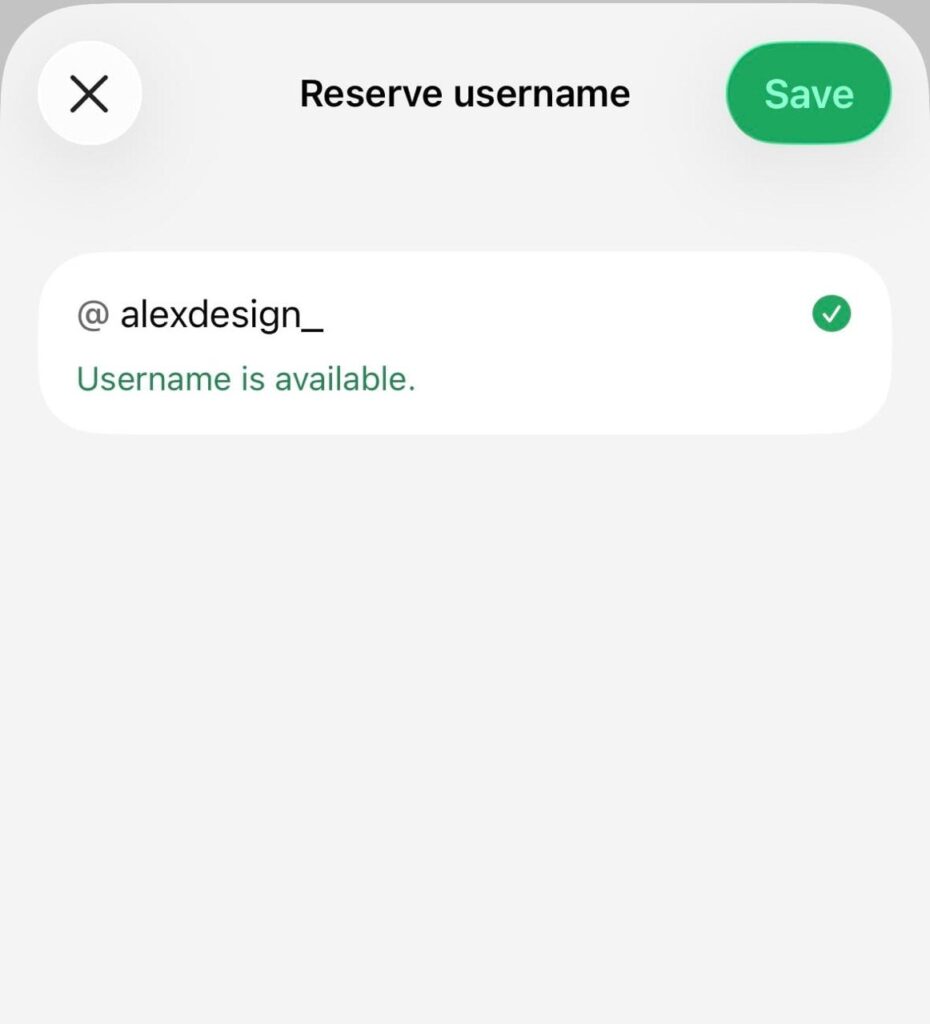
Step 4: Choose Your Username
Enter the username you’d like to use.
WhatsApp will instantly check whether it’s available.
Step 5: Confirm Your Reservation
Once approved, your username will be linked to your account and reserved for future use.
Note: If you don’t see the Username option yet, don’t worry. The feature is rolling out gradually, and WhatsApp will notify users as it becomes available in their region.
Who Can Reserve a Username?
Username reservations are being released in phases, meaning not everyone will receive access at the same time.
WhatsApp says users will receive an in-app notification when the feature becomes available in their country. Until then, you’ll simply need to keep your app updated and wait for the rollout.
Creators, businesses, and organizations may also have the option to claim the same username they already use on Instagram or Facebook, helping them maintain a consistent online identity across Meta’s platforms.
Why You Should Reserve Your Username Early
With more than three billion WhatsApp users worldwide, popular names won’t stay available for long.
Reserving your username early helps you:
- Secure your preferred name before someone else claims it.
- Build a consistent personal or business brand.
- Keep your phone number private when chatting with new people.
- Reduce the risk of impersonation.
- Make your account easier to share with friends, customers, and clients.
If you own a business or create content online, reserving the same username you use on other platforms can also strengthen your digital presence.
Can You Change Your Username Later?
Yes.
WhatsApp is expected to allow users to change usernames later, although availability will depend on whether the new username has already been claimed.
Changing your username may also affect how others find your account.
What If Your Preferred Username Is Already Taken?
Don’t panic.
Try adding:
- Your profession
- Your location
- Your initials
- Your business category
For example:
Instead of:
@alex
Try:
- @alexdesign
- @alextech
- @alex_ng
- @alexofficial
Choosing a memorable username is often more valuable than having the shortest one.
What Rules Do WhatsApp Usernames Follow?
According to Meta, usernames:
- Must be unique.
- Can contain between 3 and 35 characters.
- Must follow WhatsApp’s community and naming policies.
- Cannot violate trademark or impersonation rules.
- Can be changed later if you decide to use a different one.
WhatsApp has also reserved usernames for certain public figures and organizations to help prevent impersonation.
Privacy and Security: What Changes?
One of the biggest benefits of WhatsApp usernames is improved privacy.
Instead of exposing your phone number every time someone wants to contact you, they’ll simply use your username.
WhatsApp has also confirmed that usernames won’t appear in a public directory, meaning people won’t be able to browse or search for random usernames. Someone must know your exact username before they can contact you, and an optional username key adds another layer of protection against unwanted messages.
Frequently Asked Questions
Is the WhatsApp Username feature available to everyone?
No. Meta is rolling it out gradually across different countries and accounts.
Does creating a username replace my phone number?
No. Your account will still require a phone number, but new contacts can communicate with you using your username instead.
Can two people have the same username?
No. Every WhatsApp username is unique.
Is reserving a username free?
Yes. WhatsApp does not charge users to reserve a username.
Can I change my username later?
Yes. Meta says usernames can be changed if you decide to use a different one later.
Final Thoughts
The introduction of WhatsApp usernames is one of the platform’s biggest privacy upgrades in recent years. By allowing users to connect without sharing their phone numbers, the feature offers greater control over personal information while making conversations simpler and more secure.
If the username reservation option is already available on your account, it’s worth claiming your preferred name as soon as possible. With billions of users expected to gain access over the coming months, popular usernames are unlikely to stay available for long.
Similar Read: Two WhatsApp on iPhone Rolls Out in New iOS Beta Update