

Most popular AI tools, including ChatGPT, Gemini and Claude, require an internet connection to function. However, that doesn’t mean you cannot use artificial intelligence when your data runs out or you’re somewhere without WiFi.
Offline AI makes it possible to run certain AI models directly on your phone or computer without connecting to the internet.
Unlike conventional AI tools that process requests on remote servers, offline AI uses models downloaded and stored on your device. Once installed, these models can generate responses without requiring an active internet connection.
However, there is a catch. Offline AI models are generally smaller and less capable than their cloud-based counterparts.
Best apps for using AI without internet
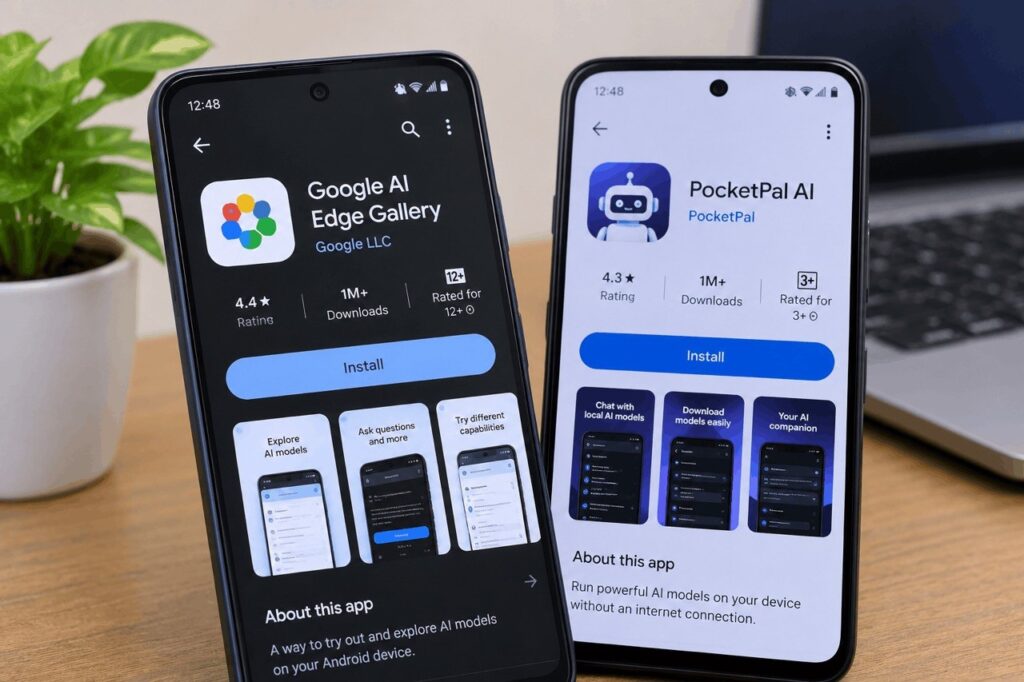
Several applications allow users to download AI models and run them locally. Two options available for Android users are Google AI Edge Gallery and PocketPal AI.
1. Google AI Edge Gallery
Developed by Google Research, AI Edge Gallery allows users to download and experiment with AI models directly on their Android devices.
It offers features such as AI Chat, image analysis, audio transcription and other AI-powered tasks.
One of its available models is Gemma 3 1B, which requires approximately 584MB of storage.
2. PocketPal AI
PocketPal AI is another option for running AI models locally on smartphones. It allows users to download compatible models and interact with them without an internet connection.
The application also recommends models based on device compatibility.
One model identified during Technext’s testing was LFM2.5-1.2B-Instruct, which requires approximately 731MB of storage.
Both applications require an initial internet connection to download their models. After that, users can switch to aeroplane mode and continue using the downloaded models.
Can offline AI give accurate answers?
Yes, but its accuracy depends on the model, the task and the information available when it was trained.
Offline AI can handle everyday tasks such as:
- Writing and rewriting content.
- Summarising documents and notes.
- Brainstorming ideas.
- Practising questions and learning new subjects.
- Transcribing audio and explaining images, depending on the model.
However, it struggles with information that changes frequently.
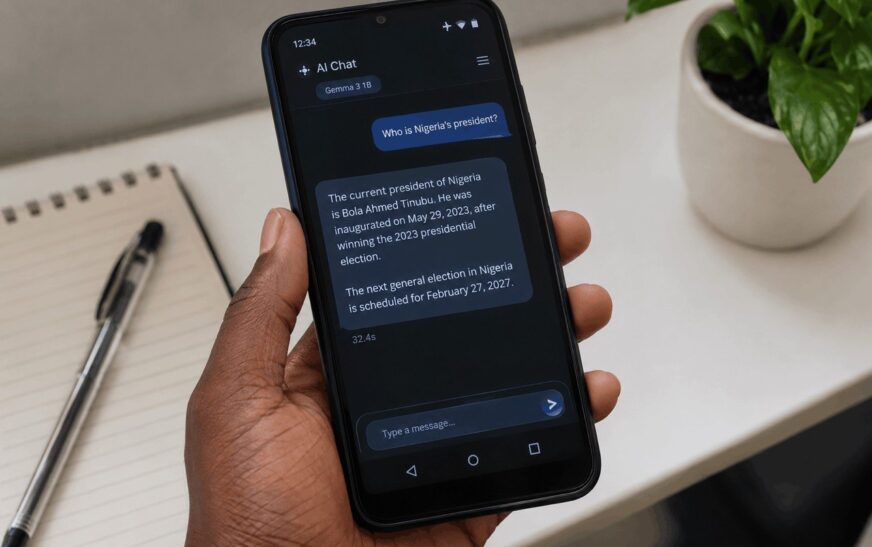
For instance, it cannot reliably provide current news, exchange rates, election dates, sports results or recent developments because it cannot access the internet to retrieve updated information.
Read Also: What Is Cloud Storage and How Does It Work? A Simple Guide for Beginners
In a test published by Technext, an offline model correctly identified Nigeria’s president as Bola Tinubu but returned an outdated date when asked about the current date and gave an incorrect election date.
This highlights one of the biggest limitations of offline AI: it can sound confident even when its information is outdated or incorrect.
How to set up offline AI on your phone
Getting started is relatively straightforward.
- Connect your Android phone to the internet.
- Download Google AI Edge Gallery or PocketPal AI from the Google Play Store.
- Open the application and select a compatible AI model.
- Download the model. Depending on your choice, it may require hundreds of megabytes or several gigabytes of storage.
- Once the download is complete, switch on aeroplane mode and start chatting.
Keep in mind that your phone’s available storage and RAM will affect how smoothly the model runs. Older or entry-level devices may experience some lag when processing requests.
Can you use offline AI on a computer?
Yes. Desktop applications such as LM Studio and Ollama allow users to download and run AI models locally on Windows, macOS and Linux computers.
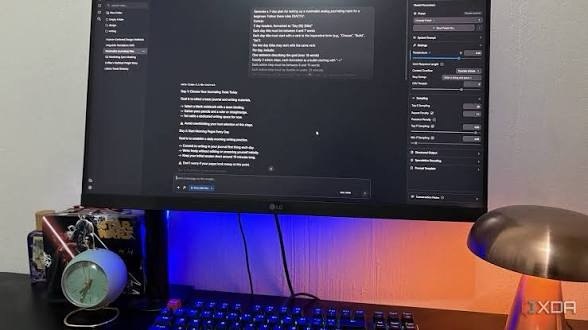
With LM Studio, users can browse available models, check their memory requirements and download one that matches their computer’s specifications.
Ollama is another option, although it primarily uses a command-line interface.
Computer models generally require more storage and memory than the smaller models designed for smartphones. Having at least 8GB of RAM is a reasonable starting point, although 16GB or more is preferable for a smoother experience.
Is offline AI worth using?
Offline AI is useful when you need basic AI assistance without relying on an internet connection. It can also offer additional privacy because your prompts and documents are processed locally rather than sent to remote servers.
However, it is not a complete replacement for online AI tools.
If you need help writing, brainstorming, summarising or learning without an internet connection, offline AI is worth exploring. But for research, current information and tasks that require accurate, up-to-date facts, cloud-based AI remains the better option.
Ultimately, offline AI gives you access to artificial intelligence even when the internet is unavailable. You just have to understand what it can and cannot do.
Want to explore more ways to get the most out of artificial intelligence? Check out more AI guides and technology updates on Techdinge.